!!
# Stretchyman
The Stretchyman project is an example of how [IK](/spine-ik-constraints), [paths](/spine-path-constraints) and [weights](/spine-weights) can be used to create stretchy limbs with simple controls to ease the animation process. Below, we will focus Stretchyman's rear leg. The front leg is setup in the same way.
## Constraints
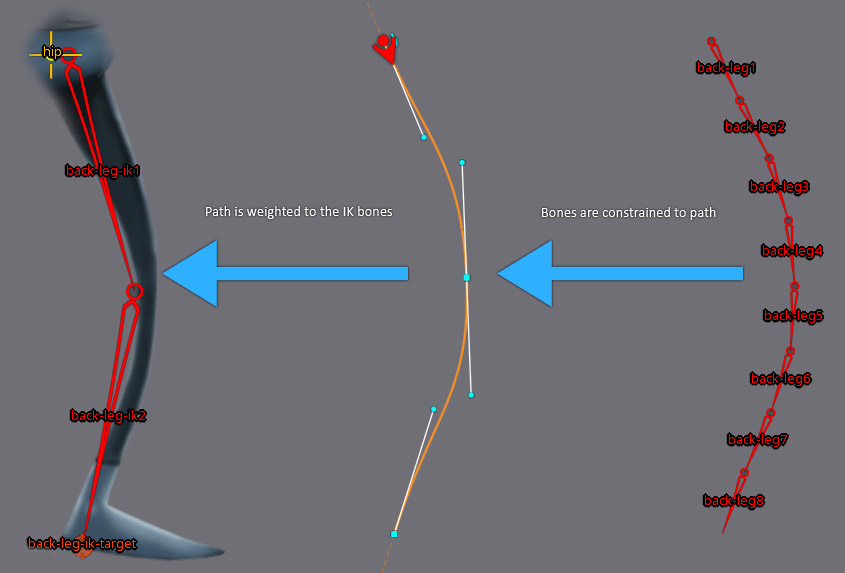
The rear leg consists of two bones, `back-leg-ik1` and `back-leg-ik2`, attached to the `hip` bone. These are driven by the `back-leg-ik` two-bone IK constraint. The `back-leg-ik-target` bone is the target for the IK constraint: moving this bone will let the `back-leg-ik1` and `back-leg-ik2` bones follow it, giving us a simple control to animate the leg movement.
We've also enabled the `Stretch` property on the `back-leg-ik` IK constraint. Enabling `Stretch` scales the two IK bones so they always reach the IK target, irrespective of their original length.
The `hip` bone contains a slot named `back-leg-path` which contains a path attachment named `back-leg-path`. The vertices of this path are weighted to the `back-leg-ik1` and `back-leg-ik2` bones. When these two bones are moved by the `back-leg-ik` IK constraint, the path will deform accordingly.
Also attached to the `hip` bone is a chain of eight bones named `back-leg1` to `back-leg8`. The length and placement of these 8 bones is controlled by the `back-leg-path` path constraint. The path constraint's `Spacing` type is set to to `Percent`, its value is set to `100 / 8 = 12.5`. This ensures the bones always fill the entire length of the path. Each of the 8 bones on the path take up `12.5%` of the path's length.
The `Mix` values for `Rotate` and `Translate` are set to `100` so the rotation and translation of the path is fully applied to the constrained leg bones. Finally, `Chain Scale` is used to ensure the bones stick as close to the path as possible.
## Weights
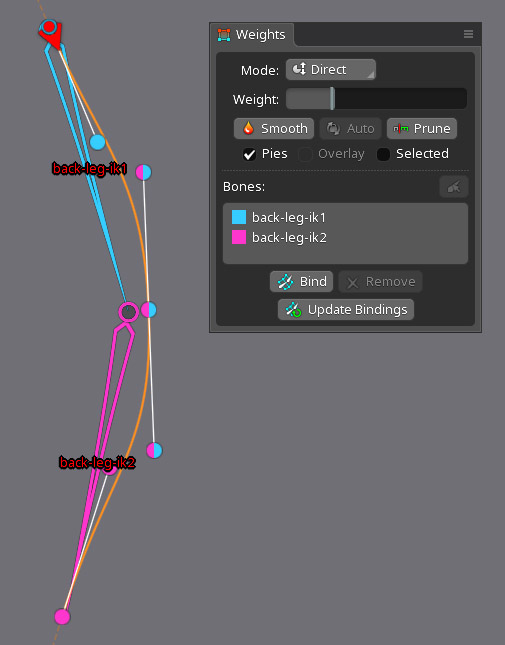
The vertices of the path `back-leg-path` are weighted to the bones `back-leg-ik1` and `back-leg-ik2`, as can be seen in the [`Weights` view](/spine-weights) when the path is selected.
Since we're working with a path, we did not use `Auto` to generate the weights. Instead, we set the weights of each vertex and vertex handle manually. Using a little bit of weight painting, we ended up with this configuration:
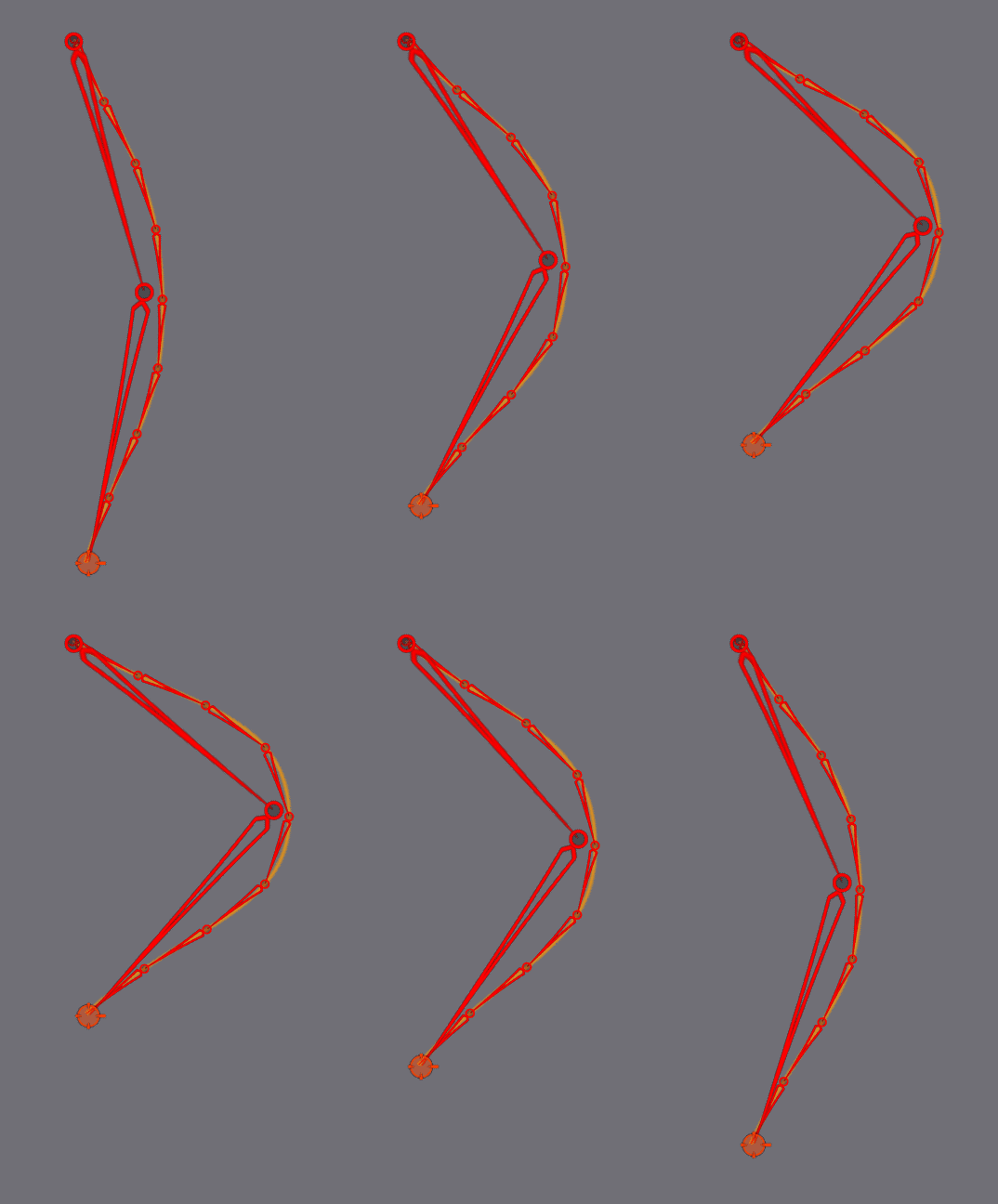
When moving the `back-leg-ik-target` bone, the path as well as the bones `back-leg1` to `back-leg8` constrained to the path, follow the IK bones `back-leg-ik1` and `back-leg-ik2`.
As the final step in the weighting process, we assigned weights to the vertices of the mesh representing the leg. The mesh is weighted to the bone chain `back-leg1` to `back-leg8`:
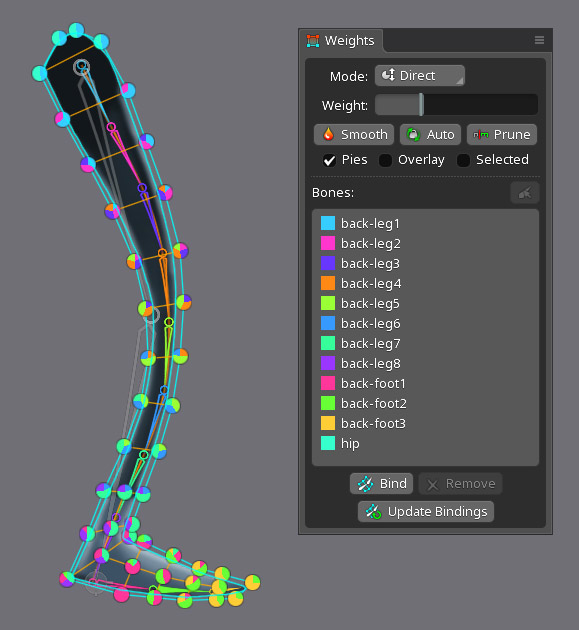
Moving the IK target after this step now also deforms the leg mesh according to the weights.
## Path deformation
While animating the leg by moving the IK target bone is already very flexible, we can add even more control by [deforming the path vertices](/spine-paths#Weights).
In [`Animate` mode](/spine-animating) with the `sneak` animation selected, we can see deform keys at frames `43`, `45`, `47`, and `50` for `back-leg-path`. These keys make it appear as if the leg folds up a bit once Stretchyman pulls the leg toward himself.
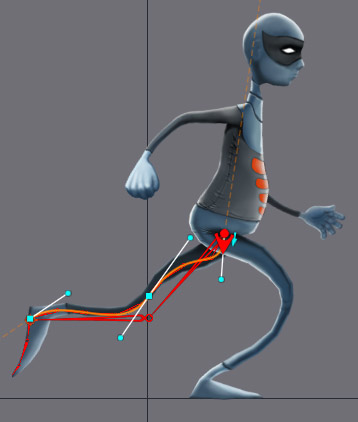
You can view the final `sneak` animation in the player at the top of the page.