!!
#Raptor#
The Raptor project demonstrates the use of [weighted](/spine-weights) [meshes](/spine-meshes) and [IK](/spine-ik-constraints). It also employs techniques to give the skeleton a more 3D look. Below, we focus on the skeleton setup.
## Raptor Setup
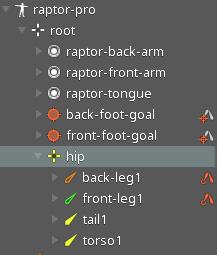
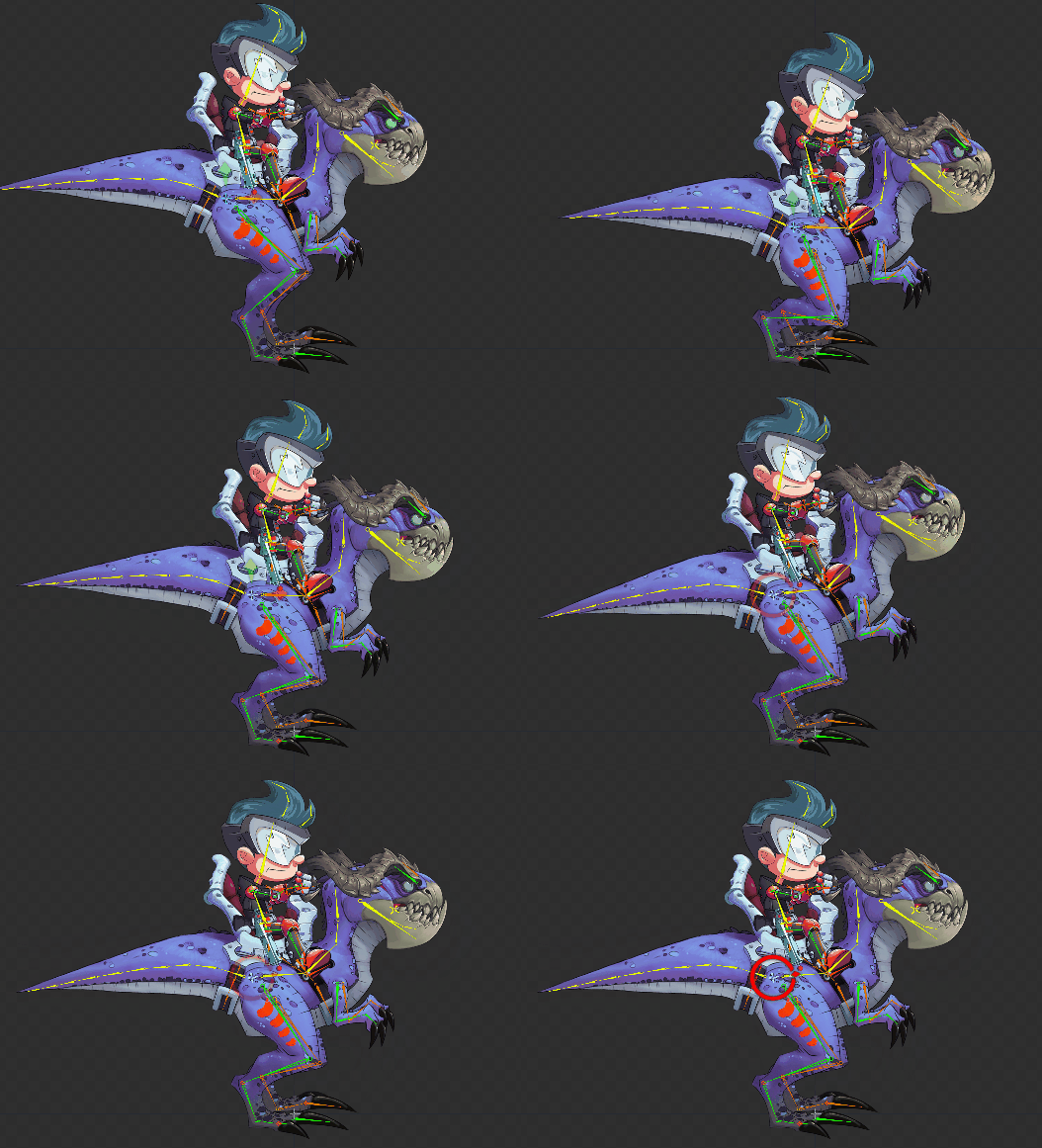
The `hip` bone is the root of the raptor's body bone hierarchy to which the legs, tail, and torso are attached. The `hip` bone serves as a control bone with which we can adjust the entire raptor body.
The vertices of the thigh mesh attachments are [weighted](/spine-weights) to the the `hip` bone, in addition to the bones making up the raptor's legs. This helps to keep the vertices at the edge of the meshes in the correct place when the `hip` bone is rotated.
### Legs and feet
The raptor's front and back legs are setup in the same way. For brevity, we will only discuss the front leg in detail. The leg is driven by two IK constraints: `front-leg-ik` and `front-foot-ik`.
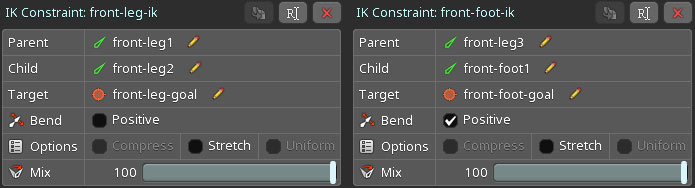
The two-bone IK constraint `front-leg-ik` controls the `front-leg1` and `front-leg2` bones, while the two-bone IK constraint `front-foot-ik` drives the `front-leg3` and `front-foot1` bones. Note that the order in which those two IK constraints are applied to the bones is important. We first apply the `front-leg-ik` constraint and then the `front-foot-ik` constraint. The order in which constraints are applied is defined by their [order](/spine-constraints#Order) in the `Constraint` node of the [tree view](/spine-tree).
These two IK constraints target bones outside the raptor body bone hierarchy: `front-foot-goal` and `front-leg-goal`. Moving the target bones will cause the IK constrained bones to follow. This allows us to easily bend the leg or bend the heel.
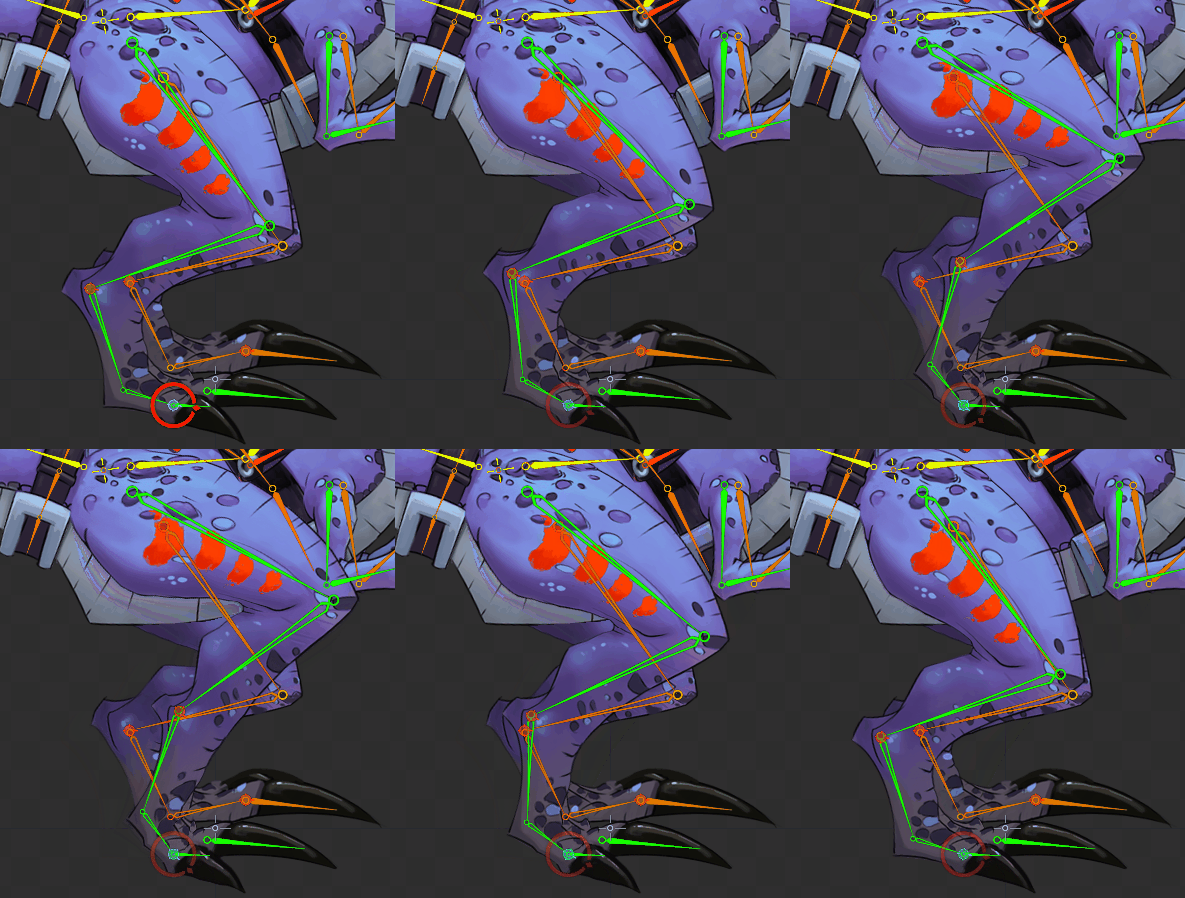
At the tip of the leg, we have the `front-foot1` bone and its child bone `front-foot2`. We disabled `Inherit Rotation` for `front-foot2` to ensure the foot doesn’t go through the ground when rotating its parent bone.
The `front-leg1` bone is the only bone in this leg bone hierarchy that has a slot containing an attachment. The vertices of the `raptor-front-leg` mesh attachment are weighted to the the leg bones, deforming smoothly when the bones are transformed.
### Tail
The upper body of the raptor is composed of a single mesh attachment `raptor-body`. Its vertices are weighted to the bones making up parts of the upper body, like the torso and the tail.
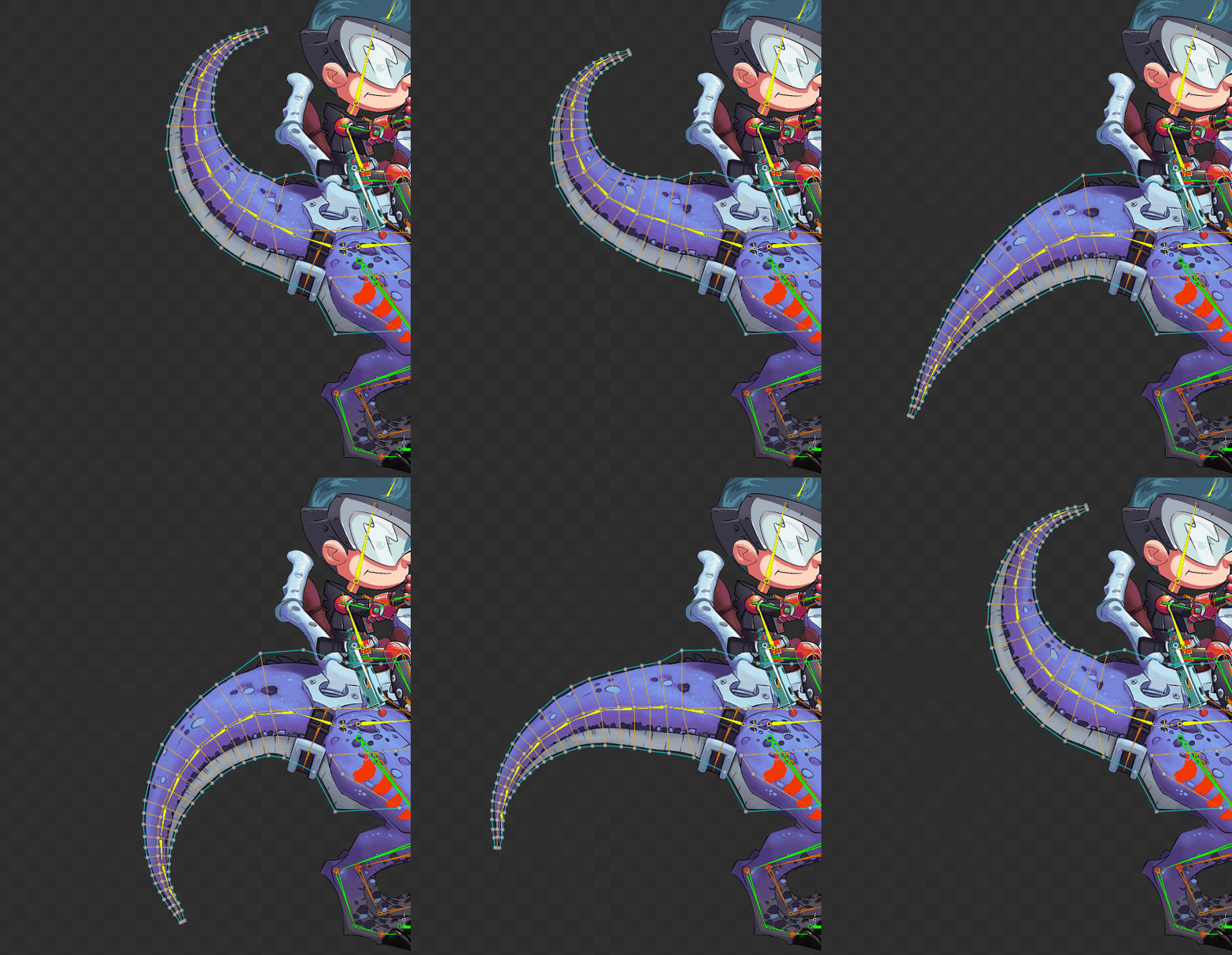
The `raptor-body` image has the tail in a straight line to improve its deformation when bending it in either direction. As a general rule, if a mesh needs to be bent in either direction then the mesh image should be straight when the bones are bound.
### Jaw
The jaw is represented by the `raptor-jaw` mesh attachment. Like the thighs of the raptor, the vertices around the pivot of the jaw have been weighted to the `head` bone. This ensures that the jaw does not look disconnected from the rest of the head when it is rotated.
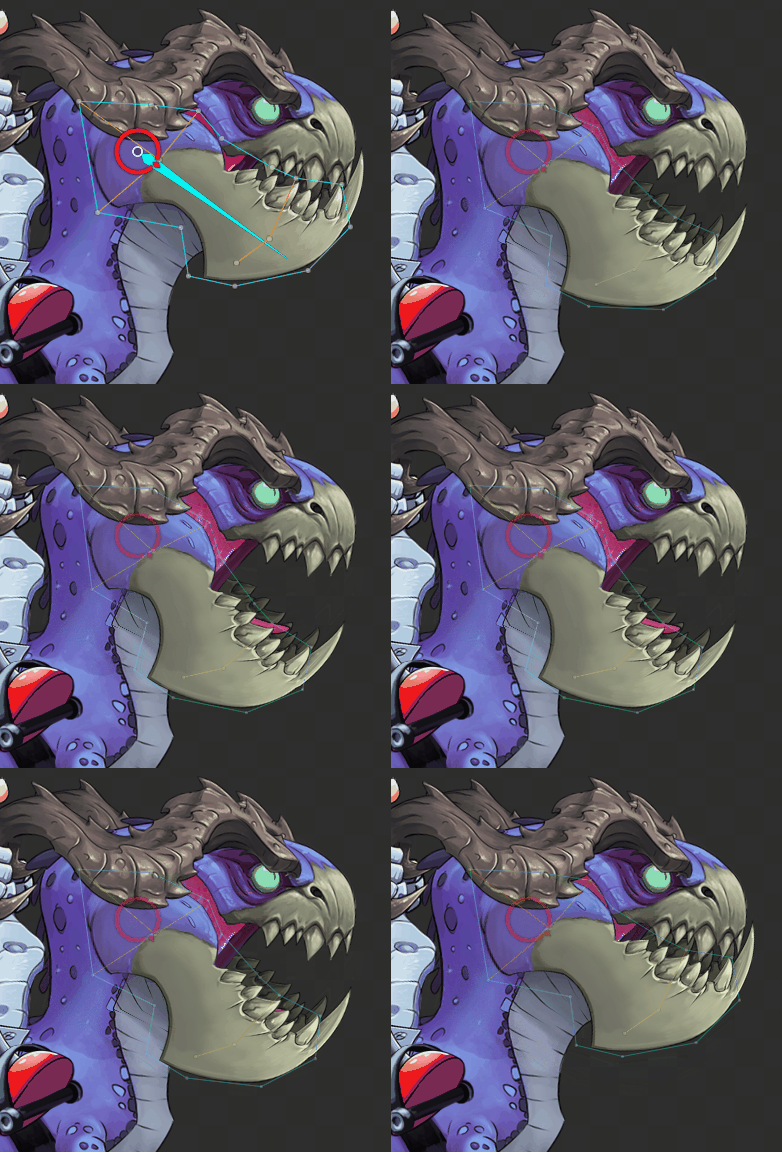
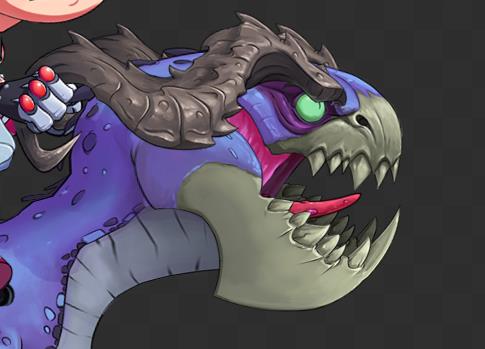
To give the jaw a 3D look, the `jaw` bone contains another bone called `jaw-inside` which contains a copy of the `raptor-jaw` mesh. The mesh is scaled down and tinted to be slightly darker than the front of the jaw. Note that the tongue of the raptor is drawn between the two jaw attachments.
### Horns
Moving the horn bones `horn-front` and `horn-back` independently from each other adds a slight 3D effect to the head, making it appear as if the head is rotating side to side.
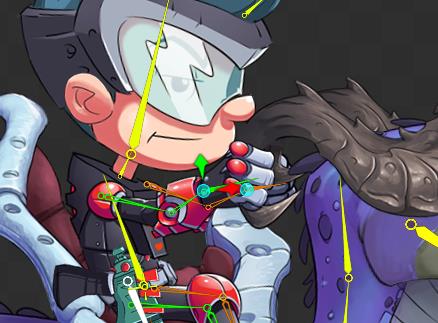
The horn bone hierarchy also contains the `spineboy-back-arm-goal` and `spineboy-front-arm-goal` bones to help ensure Spineboy always has a good grip on the horns.
## Spineboy Setup
Spineboy's hip bone `spineboy-hip` is attached to the `saddle` bone on top of the raptor. Transforming the hip bone will move Spineboy's body, while four IK constraints, one for each leg and hand, are used to keep Spineboy's feet in the stirrups and his hands on the raptor's horns.
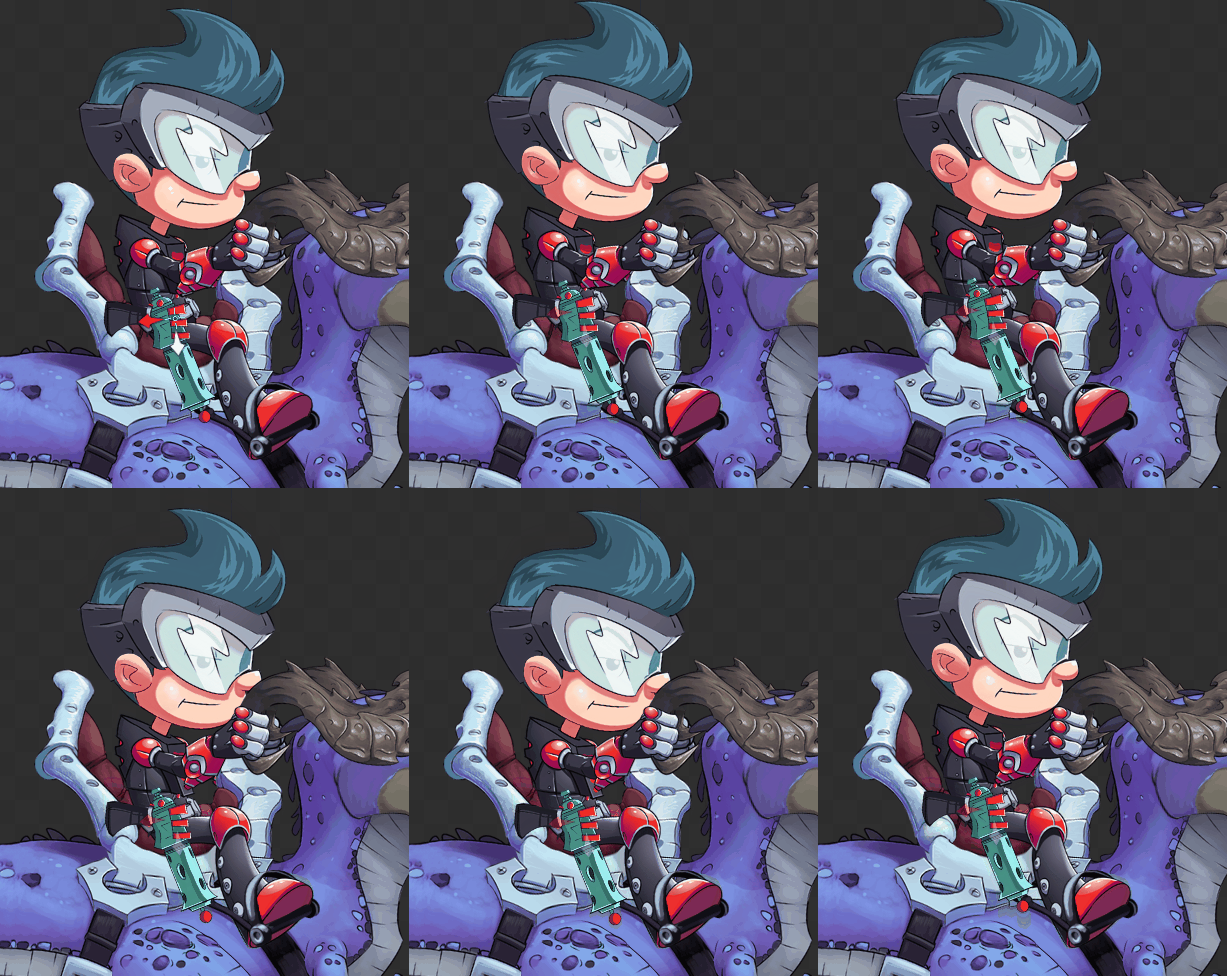
### Arms
The two IK constraints `spineboy-front-arm-ik` and `spineboy-back-arm-ik` place Spineboy's hands on the IK targets `back-arm-target` and `front-arm-target`, which are attached to the raptor horns. The `spineboy-front-arm-ik` constraint drives the `front-arm` and `front-bracer` bones, while the `spineboy-back-arm-ik` constraint drives the `back-arm` and `back-bracer` bones. Since Spineboy is holding the raptor's horns in most animations, the IK constraint `Mix` values are set to `100%` in setup mode.
### Grabbing the gun
When the `Mix` values of the arm IK constraints are set to `100%`, the arm and bracer bones are driven entirely by inverse kinematics. For the `gun-grab` animation, Spineboy needs to let go of the horns to grab his gun, so the arm and bracer bones need to be driven by bone transformation keys instead of the IK constraints.
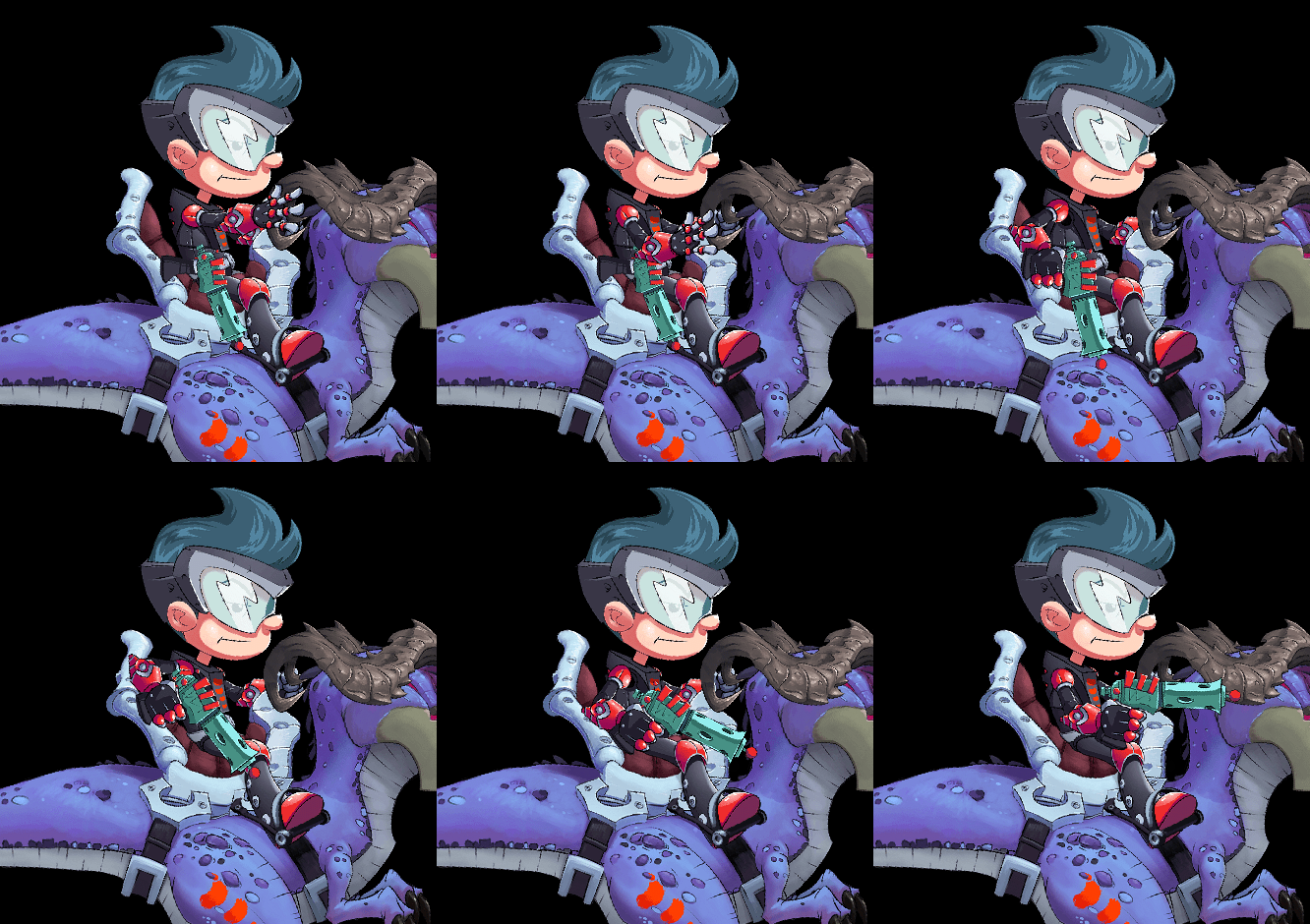
To disable the influence of the IK constraints, their `Mix` values are set to `0%` on frame `0` of the `gun-grab` animation.
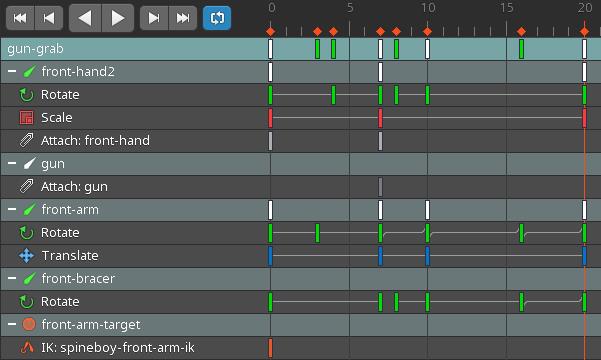
The gun in the holster is an attachment in the `gun` slot. When Spineboy grabs the gun, that attachment is hidden while the `front-hand` slot is switched to an image of the hand holding a gun. This happens in frame `7` in the `Attach: gun` and `Attach: front-hand` timelines.